AI crawler server logs / WordPress
WordPress PluginWordPress AI crawler tracking:Count AI bots, even on cached pages
ThriveStack AI Crawler Tracker reads your web server access log and sends only the AI bot lines to ThriveStack citedby. It counts visits that a cache plugin, host cache or server answered without running WordPress.
Version 0.4.0, released Nov 23, 2026. Free on WordPress.org, no locked features.
/var/log/nginx/access.logHow does a WordPress AI crawler plugin count cached pages?
It reads the web server access log, not just WordPress. When a cache plugin, host cache or the server answers a request, WordPress never runs. The server still writes a log line, and the plugin reads it.
AI bots tend to fetch the same public pages again and again, and those are the pages most likely to be cached. A plugin that only listens inside WordPress would miss them.
Reads the access log
Finds the log in Apache, Nginx, LiteSpeed and cPanel locations. The log must be in the "combined" format.
Keeps AI bot lines only
Matches the user agent of each line against about 65 known AI bots, such as GPTBot, ClaudeBot and PerplexityBot. Other lines stay on your server.
Sends every 5 minutes
New AI bot lines go to ThriveStack citedby as one gzip-compressed, signed request every 5 minutes.
Why it matters: on a typical mid-size company site, AI bot requests grow far faster than human visits, and GA4 sees none of them.
AI bots vs human traffic:
Bot requests grew 6x in 7 weeks, human visits 1.2x
A typical mid-size company site, weekly. Both lines are indexed to week 1, because bot requests ran 2 to 11 times human visits.
What happens when your host blocks the access log?
The plugin switches to fallback mode. It then captures AI bot requests as WordPress answers them. The settings page shows which mode is active.
Counts every AI bot hit
- Reads the server access log
- Counts pages a cache answered
- Needs the log in "combined" format
Counts what WordPress answers
- Used when the host blocks the log
- Captures AI bot requests inside WordPress
- Does not count cached pages
How do you set up the ThriveStack AI Crawler Tracker plugin?
Four steps, about five minutes.
- Copy your connection code. In ThriveStack citedby, open Attribution > Setup > WordPress and copy the connection code.
- Install the plugin. In WordPress, go to Plugins > Add New Plugin, find ThriveStack AI Crawler Tracker, then install and activate it. You can also upload the .zip from the setup page.
- Paste the code. Go to Settings > AI Crawler Tracker, paste the connection code and click Save.
- Test the connection. Click Test connection. The settings page also shows whether the plugin is in access log mode or fallback mode.
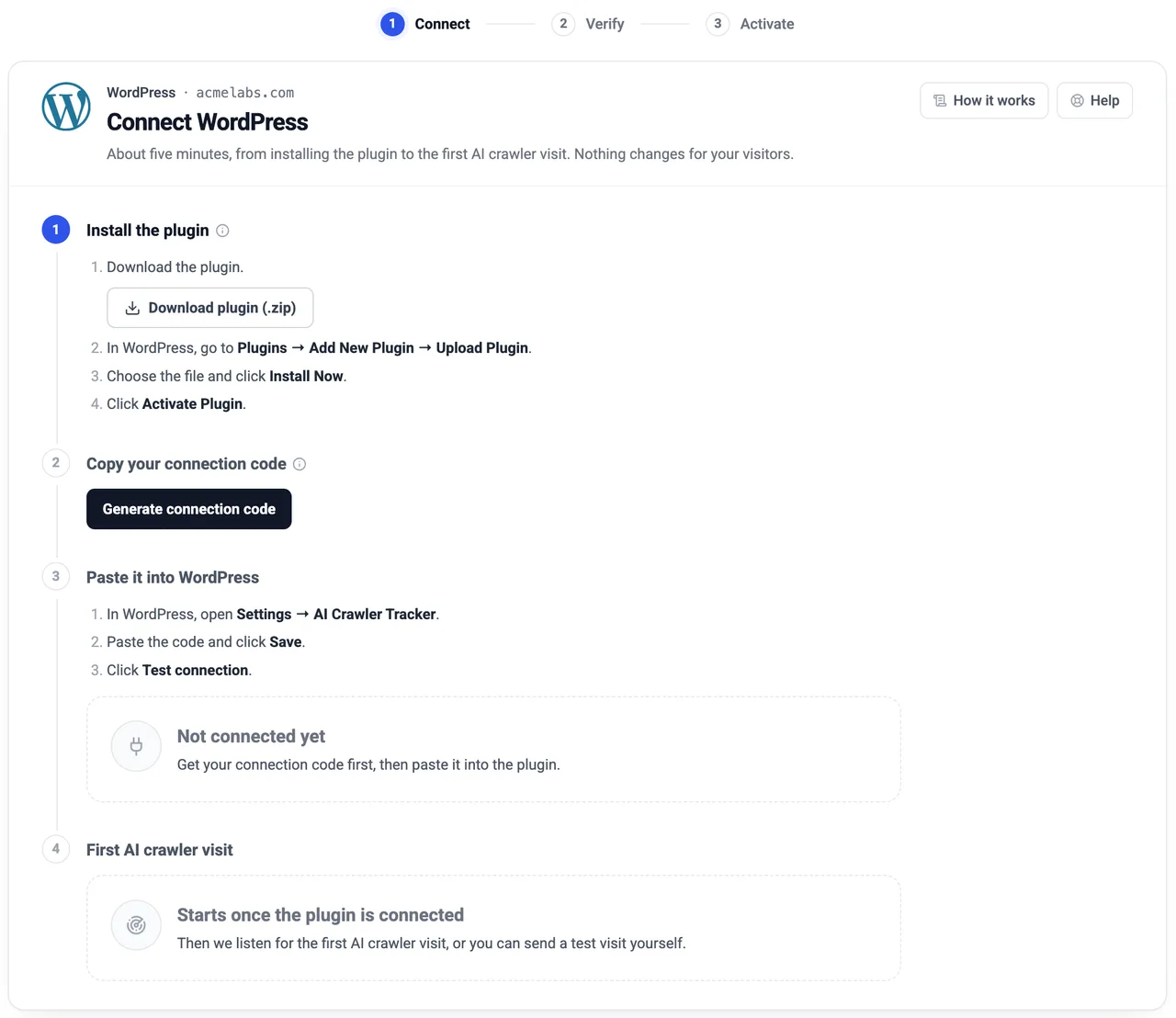 1Get the plugin from WordPress.org, or upload the .zip2Copy your connection code3Paste it under Settings > AI Crawler Tracker4The first AI crawler visit confirms it works
- Get the plugin from WordPress.org, or upload the .zip
- Copy your connection code
- Paste it under Settings > AI Crawler Tracker
- The first AI crawler visit confirms it works
Open the WordPress setup page →
*/5 * * * * curl -s https://example.com/wp-cron.php?doing_wp_cron > /dev/null
How do WordPress AI crawler hits tie to AI search revenue?
The plugin's hits feed the AI Search Attribution feature in ThriveStack citedby. It puts AI crawler hits, citations from your server logs, AI assistant visits and revenue on one weekly timeline.
AI search attribution:
Crawls come first, then citations, visits and revenue
Weekly, each line indexed to its own week 1
- Crawlers read your pages
- AI answers cite them
- AI visits arrive
- Revenue follows
Is the WordPress AI bot tracker free?
The plugin is free and has no locked features. The AI crawl report in ThriveStack citedby is part of the paid AI Crawl Logs add-on, and it is free during a ThriveStack trial. See pricing.
Read the crawl report
See which AI bots read which pages, how often, and the status codes they got. AI crawler server logs
Tie crawls to revenue
Put AI crawler hits, AI visits and revenue on one timeline. AI Search Attribution
Questions about the WordPress AI crawler plugin
What is the ThriveStack AI Crawler Tracker plugin?
It is a free WordPress plugin that finds AI crawler visits in your web server access log and sends them to ThriveStack citedby. Version 0.4.0 was released on Nov 23, 2026.
Does it count visits that a cache plugin served?
Yes, in access log mode. A cache plugin, host cache or server can answer a request without running WordPress, but the server still writes a log line. The plugin reads that line. In fallback mode, cached pages are not counted.
What is fallback mode?
Some hosts block plugins from reading the access log. Then the plugin captures AI bot requests as WordPress answers them. Pages served from a cache are not counted in that mode. The settings page shows which mode is active.
Which web servers does it support?
Log discovery covers Apache, Nginx, LiteSpeed and cPanel log locations. The log must be in the "combined" format.
What data does the plugin send?
Only AI crawler lines. It matches each line's user agent against about 65 known AI bots, such as GPTBot, ClaudeBot and PerplexityBot. Every 5 minutes it sends the new lines as one gzip-compressed, signed request.
Why should a low-traffic site add a real cron job?
The plugin runs on WP-Cron, and WP-Cron only runs when someone visits the site. On a quiet site, sends can be late. A real server cron job keeps the 5 minute schedule.
What does it cost?
The plugin is free and has no locked features. The AI crawl report in ThriveStack citedby is part of the paid AI Crawl Logs add-on, and it is free during a ThriveStack trial.
See every AI bot that reads your WordPress site
Install the free plugin, paste your connection code and read your first AI crawl report.